What Is Content Repurposing?
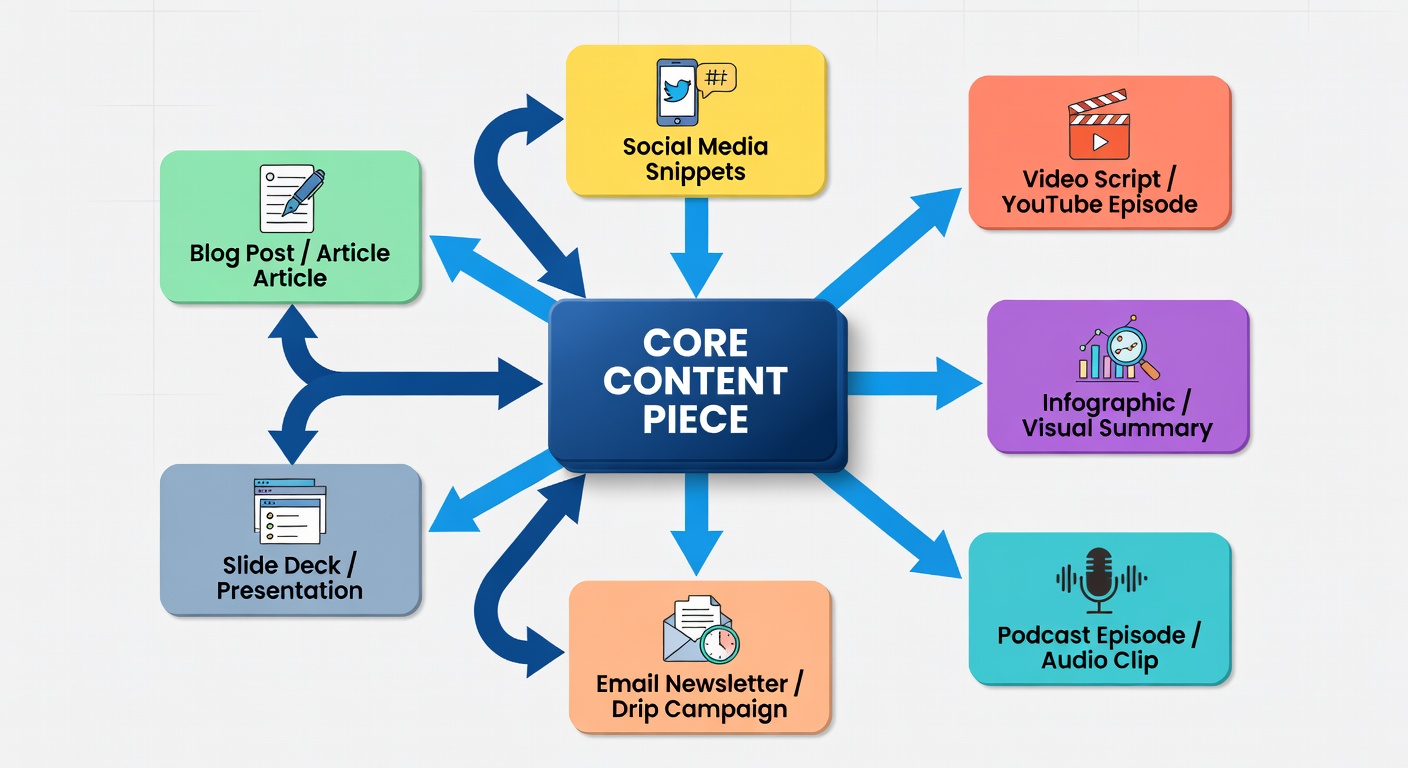
Content repurposing is the practice of taking one piece of content and transforming it into multiple different formats for different platforms and audiences. It's not copy-paste — it's intelligent adaptation. A 2,000-word blog post becomes a YouTube video script, a carousel post, a newsletter, three tweets, and a podcast episode. Same core insight. Five different formats. Five different audiences reached.
Most creators waste enormous energy starting from scratch every time they need to post. Repurposing flips this model entirely. Instead of asking "what should I create next?", you ask "how can I give this idea a new life on a new platform?"
"The most productive creators aren't creating more — they're extracting more value from what they've already created."
The Content Pyramid: From Long-Form to Micro
The most effective repurposing strategy follows a pyramid model. At the top is your long-form "pillar" content — the comprehensive piece that contains your most developed ideas. Everything below it is derived from that original work, scaled down for different platforms and attention spans.
The Repurposing Pyramid
One pillar piece can yield 15+ repurposed content items across all levels.
15 Ways to Repurpose One Blog Post
Let's say you've written a comprehensive blog post on "How to Build a Content Calendar." Here are 15 ways that single post can become new content:
YouTube video — Turn the post into a talking-head tutorial script
Instagram carousel — Key steps as individual slides with visual design
Twitter/X thread — One tweet per main point, with a hook opener
Newsletter — A curated summary with a personal reflection added
LinkedIn article — Adapted for a professional audience, adding B2B context
Podcast episode — Expanded conversation with a co-host or solo breakdown
TikTok/Reel — 60-second visual summary of the best tip in the post
Pinterest infographic — Checklist or timeline graphic from the post structure
Quote graphics — Pull 3–5 standalone sentences and turn into share cards
Slide deck / presentation — Build a Canva or Google Slides version for webinars
FAQ post — Extract common questions from the article and answer each directly
Free checklist PDF — Turn the steps into a printable checklist lead magnet
Community post — Share the key insight as a discussion question in your Discord/Facebook group
Email mini-series — Split the article into 3-part nurture sequence for subscribers
Updated roundup — Revisit it 6 months later with new data and republish
Before & After: Repurposing in Action
Here's a real example of how repurposing works in practice. A creator published this Instagram caption:
"I used to spend 2 hours every morning figuring out what to post. Now I spend 2 hours on Sundays planning the whole week. The difference? I go from reactive to intentional — and it changed everything."
→ Twitter: "Stop planning content daily. Plan it weekly. 2 hours on Sunday = 5 days of zero decision fatigue."
→ Reel hook: "I used to panic every morning. Now I don't think about content until Sunday."
→ Newsletter subhead: "How I reclaimed my mornings"
→ LinkedIn quote card + Thread
→ Blog section intro
Platform-Specific Repurposing Guide
Different platforms require different adaptations. A verbatim copy-paste never works — but the core idea can travel with the right transformation for each platform's native format.
| Platform | Best Repurposed Format | Key Adaptation |
|---|---|---|
| Carousel, Reel, Story Quiz | Visual-first; break into slides; use hooks on first slide | |
| YouTube | Tutorial, Talking Head, Short | Expand with examples and on-screen text; SEO title |
| Blog | Long-form post, Listicle | Add depth, examples, and SEO keywords |
| Article, Text post with image | Add professional context; focus on industry lessons learned | |
| Newsletter, Mini-series | More personal tone; link to full content; single clear CTA | |
| Podcast | Episode, Interview, Monologue | Conversational delivery; expand tangents; add personal stories |
Tools for Repurposing
You don't need a complex setup to repurpose content effectively. Here are the tools that make the process faster:
- Notion or Obsidian — Store your original content and link to all its derivative pieces
- Canva — Turn written content into carousels, quote cards, and infographics
- Descript — Edit video/audio and auto-generate transcripts for written repurposing
- Buffer or Later — Schedule all repurposed pieces across platforms from one dashboard
- Otter.ai — Transcribe any spoken content instantly for written adaptation
- ChatGPT/Claude — Draft platform-specific variations of core ideas quickly
"The biggest mindset shift in repurposing: your content isn't finished when it's published. Publishing is just the beginning."
The Repurposing Calendar
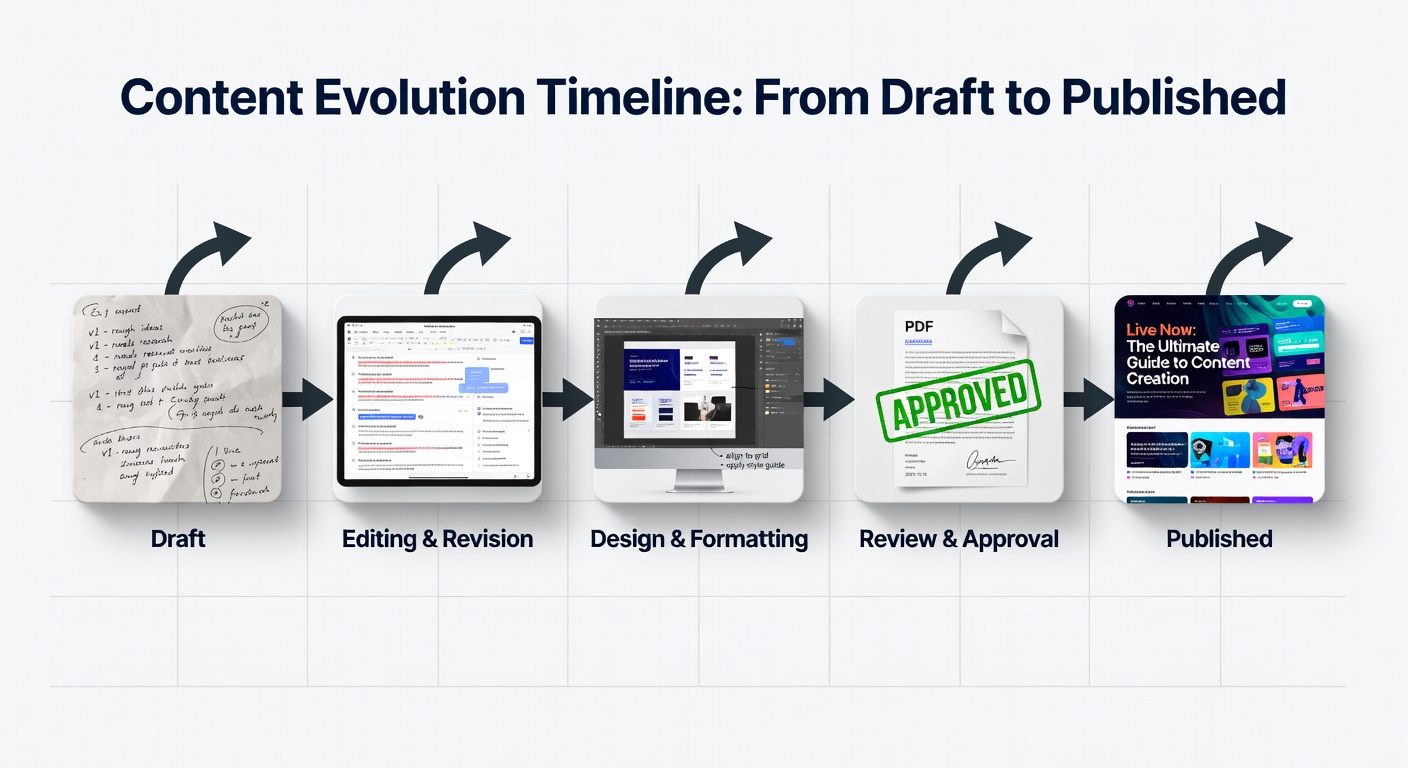
The final piece of an effective repurposing strategy is the repurposing calendar — a schedule that maps out when each derivative piece will be published, ensuring a consistent trickle of content from every original creation.
Here's how a simple repurposing timeline might look for a single blog post published on Monday:
- Monday: Blog post goes live. Share link on LinkedIn and Twitter.
- Tuesday: Instagram carousel extracted from the post's key points.
- Wednesday: Twitter thread (3-5 tweets) with the post's core argument.
- Thursday: Newsletter version sent to email subscribers.
- Friday: Short Reel or TikTok with the post's most provocative claim as the hook.
- Following week: YouTube video adaptation for subscribers who prefer video.
One piece of content. Six distribution moments. The audience on each platform gets value tailored to their format preference — and you created the core idea only once.
This is how sustainable content systems work at scale. Not by doing more — but by doing more with what you've already done.