Content Operations

Build a System,
Not a Streak

A streak is fragile. One bad week, one busy month, and it's gone. A system survives bad weeks. It doesn't depend on motivation, inspiration, or ideal conditions. Here's how to build one that works even when you don't feel like it.

See the 3 Systems Find My System
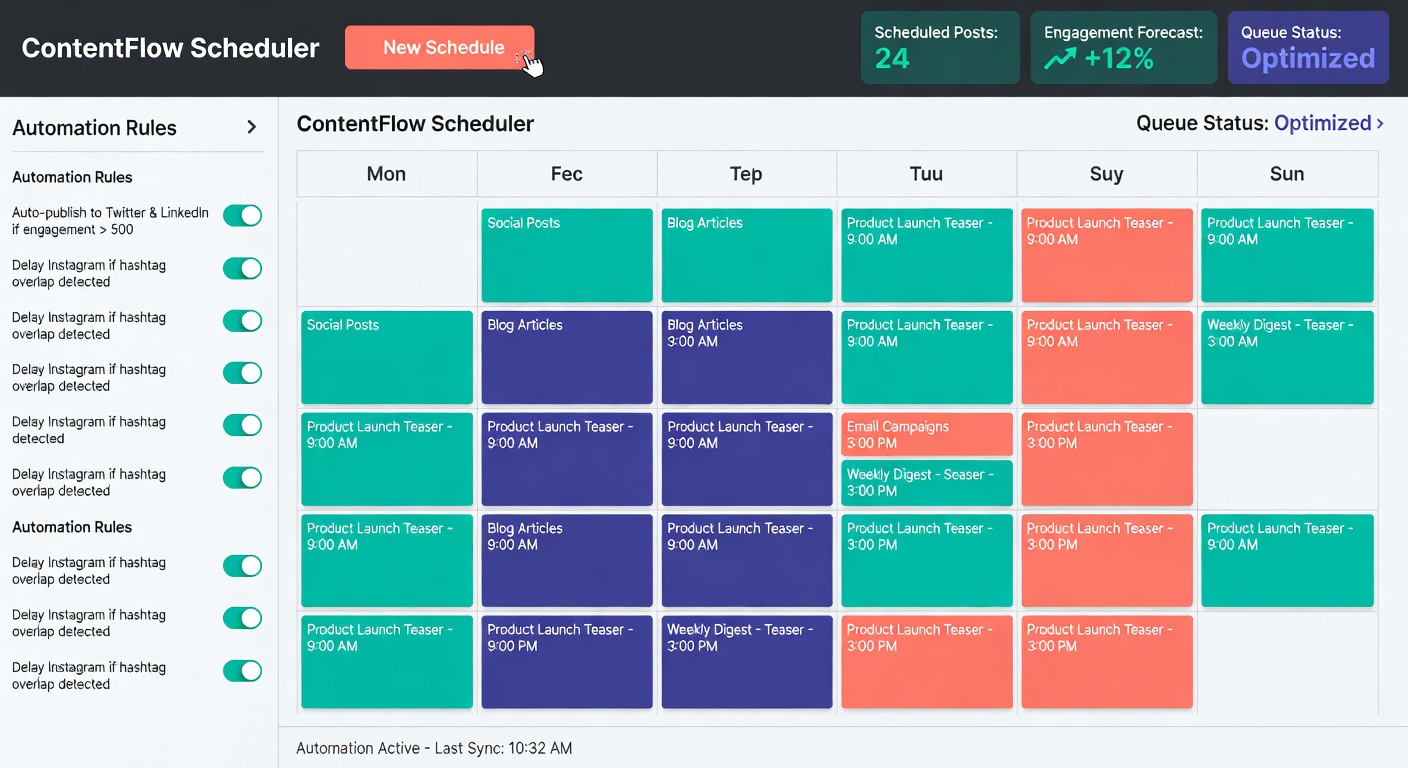
Automated content scheduling

What is a Posting System vs. Posting Randomly?

The difference isn't how much you post — it's whether your posting is reactive (when inspiration strikes) or proactive (pre-planned and pre-made).

✗ Posting Randomly

  • You post when you feel inspired — which means irregular gaps
  • Each post requires starting from scratch (topic, format, caption, visual)
  • Busy weeks = no content. Algorithm penalizes the silence
  • No through-line — audience can't predict what they'll get from you
  • Every Sunday night is a mini-crisis
  • Content quality varies wildly based on how you felt when you made it
VS

✓ A Posting System

  • Content is planned and often made days or weeks in advance
  • Each session builds on predefined templates, buckets, and formats
  • Busy weeks don't stop your content — it's already queued
  • Consistent voice and format build audience expectations (and trust)
  • Sunday nights are calm — this week is already done
  • Quality stays high because you create when you're at your best

Three Posting System Types That Actually Work

There's no single "best" system. The best system is the one you'll actually maintain. Here are the three most effective approaches — pick the one that fits your personality and schedule.

01
Best for: Focused workers

Time-Blocking System

Dedicate specific recurring time blocks each week to content creation. Monday 9–11am: plan. Wednesday 2–4pm: create. Thursday 10–11am: schedule. That's it. Nothing happens outside those blocks.

  • ✓ Clear boundaries between creation and execution
  • ✓ Protects deep work time during the rest of the week
  • ✓ Predictable weekly rhythm — easy to maintain
  • ✓ Works best for people with consistent schedules
  • ✗ Less flexible if your week changes suddenly
02
Best for: Batch creators

Batch & Schedule System

Create all your content for the week (or two weeks) in a single focused session, then schedule everything at once. One day of creation = freedom for the rest of the month.

  • ✓ Context switching is minimized — you're in "creation mode"
  • ✓ Content quality is higher when you're in a flow state
  • ✓ Frees up mental bandwidth during the week
  • ✓ Works brilliantly with content buckets
  • ✗ Requires a full day commitment every 1–2 weeks
03
Best for: Always-on creators

Rolling Content System

Maintain a "content inventory" — a bank of 5–10 finished posts at all times. Every time you publish one, you create one to replace it. You always have a buffer; you never fall behind.

  • ✓ Highly resilient — always have something ready
  • ✓ Flexibility to post timely content without panic
  • ✓ Allows you to respond to trends while staying consistent
  • ✓ Great for creators who produce content daily
  • ✗ Requires discipline to maintain the buffer

Systems Tailored for Each Platform

Different platforms require different rhythms. A posting system for Instagram looks very different from a LinkedIn system. Here's how to adapt the core framework for each major platform.

Use the system that matches the platform's content expectations and your own capacity. You don't have to be everywhere — choose one or two platforms and run their systems well.

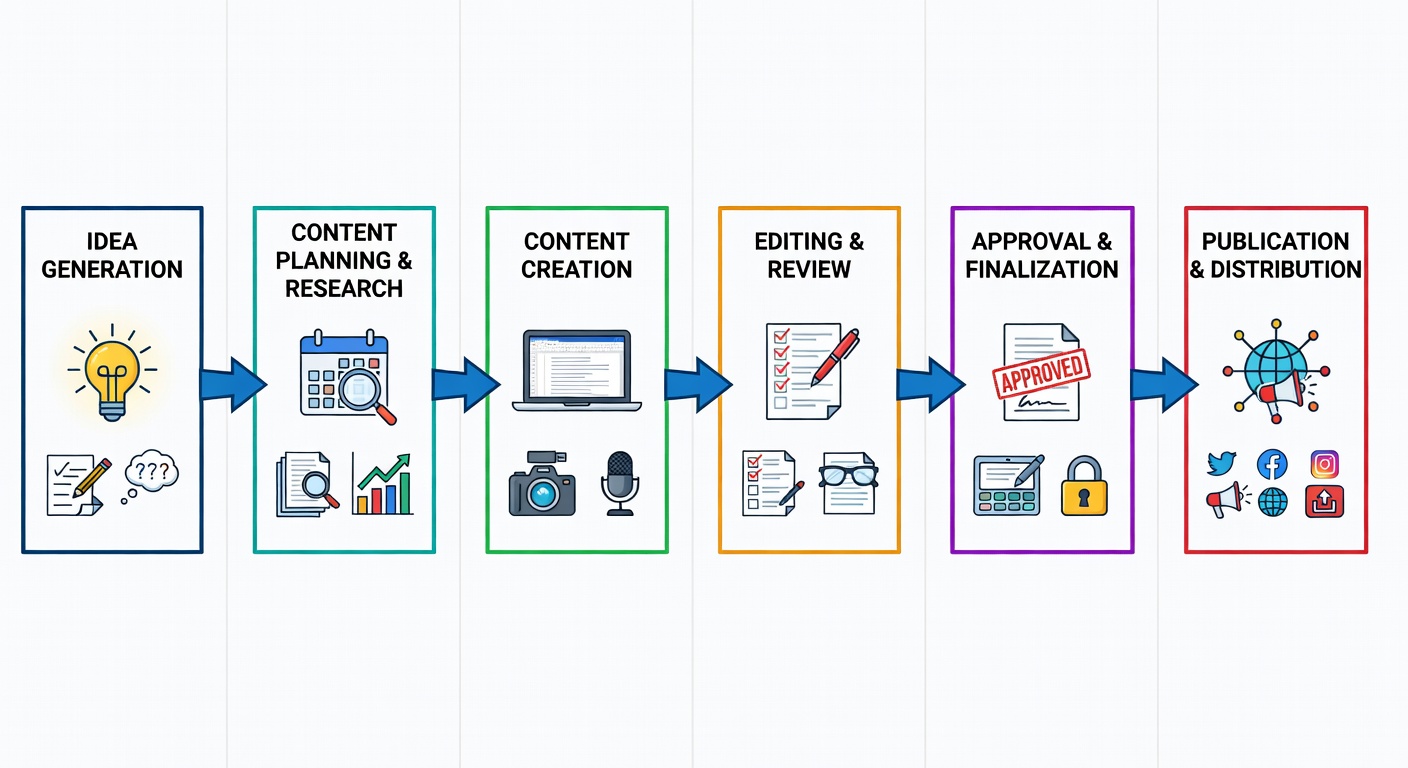
Content workflow flowchart
📸
Instagram

Recommended: Batch & Schedule

Create 1 week of feed content (3–5 posts) in a single 3-hour batch session. Schedule all posts using a scheduling tool. Then spend 15 minutes per day on Stories (these work best live or same-day). Engage for 20 minutes post-publish to boost algorithmic reach.

  • 3–5 feed posts/week
  • 3–7 Stories/day
  • Weekly batch session: 3 hrs
  • Daily engagement: 20 min
💼
LinkedIn

Recommended: Time-Blocking

Block Tuesday and Thursday mornings for LinkedIn creation. Write both posts on Tuesday; polish and schedule one for same day, one for Thursday. Spend 15–20 minutes on engagement each posting day — the first-hour comment response is critical for LinkedIn reach.

  • 3–5 posts/week
  • Tue/Thu posting windows
  • Creation block: 60–90 min/week
  • Engagement window: 20 min x 2
🐦
Twitter / X

Recommended: Rolling Content

Twitter/X rewards frequency and real-time participation. Maintain a bank of 10–15 pre-written tweets (tips, observations, short takes). Post 1–3 from your bank per day. Layer in spontaneous reactions to news and conversations. This hybrid approach provides consistency without sacrificing the real-time nature that makes X valuable.

  • 1–3 posts/day
  • Mix: pre-written + real-time
  • Bank size: 10–15 tweets
  • Replenish: 30 min/week

System Setup Checklist

Click each item as you complete it. Building a content system takes about one focused afternoon to set up — and pays dividends for months afterward.

Choose your primary platform (start with one)

Select your system type (Time-Block, Batch, or Rolling)

Define your 3–5 content buckets

Set your posting frequency (realistic, not aspirational)

Block creation time in your calendar (recurring)

Create or download a content calendar template

Plan 2 weeks of content topics in advance

Create your first batch of 5–10 posts

Set up a scheduling tool (Buffer, Later, Hootsuite, etc.)

Schedule your first week of content

Set a monthly review reminder to check analytics

Create a "content ideas" capture system (notes app, Notion, etc.)
0 of 12 steps complete

Calend vs. Generic Calendar vs. Nothing

Honest comparison of your posting system options — including the option that most people start with.

FeatureCalendGeneric CalendarNo System
Content bucket framework✓ Built-inManual setup
Weekly plan templates✓ IncludedDIY
Platform-specific guidance✓ Full guides
Batch creation workflow✓ OptimizedPossible
Content idea bank✓ 100+ ideas
Time to set up1 afternoonFull weekend0 (but costs you daily)
Consistency rateHighMediumLow
Burnout riskLowMediumHigh

Which Posting System Is Right for You?

Answer 3 quick questions and we'll recommend the system that fits your work style and schedule.

How predictable is your weekly schedule?
Be honest — think about your average week, not your ideal week.
When do you do your best creative work?
This affects whether Time-Blocking or Batching will suit you better.
What's your biggest content pain point right now?
Your answer helps us recommend the system that solves your specific problem first.

Ready to Build Your Posting System?

Download the Calend System Starter Kit and set up your first posting system this afternoon.

Get the Starter Kit
Done!