No questions match your search. Try different keywords or ask us directly.
Getting Started
Calend is a content planning and calendar system designed for solo creators, freelancers, and small social media teams. We provide weekly planning frameworks, content bucket systems, batch creation workflows, and 500+ ready-to-use templates. If you're spending more time panicking about what to post than actually creating — Calend was made for you.
Yes! Calend's core planning frameworks, beginner weekly plans, and a selection of templates are completely free. We believe every creator deserves a solid planning foundation at no cost. For access to our full template library (500+ templates), advanced batch creation guides, and premium resources, we offer affordable upgrade options.
Most content on the Calend website — including all planning guides, weekly plan pages, and blog articles — is freely accessible without an account. For downloading individual templates or free resource PDFs, we may ask for your email address so we can send you the file and keep you updated on new releases.
Calend's planning frameworks and systems are platform-agnostic — they work for Instagram, TikTok, YouTube, LinkedIn, X (Twitter), Pinterest, newsletters, and blogs. Our templates are labeled with the platforms they're best suited for, so you can filter by your preferred channels.
Scheduling tools handle the when — they publish your content at the right time. Calend handles the what and how — giving you the strategy, planning frameworks, and content ideas to fill those scheduling slots. Think of us as the upstream planning layer that feeds into your scheduler of choice. We recommend using Calend alongside your existing scheduling tool, not instead of it.
Content Planning
A weekly content plan is a structured schedule that assigns specific content types to specific days of the week. Calend offers three main plans: Beginner (3 posts/week, Mon/Wed/Fri), Intermediate (5 posts/week), and Advanced (7 posts/week, daily). Choose based on how much time you can realistically commit — consistency always beats frequency. Start with the Beginner Plan if you're new.
Content buckets are thematic categories that organize your content ideas. The four core Calend buckets are: Educational (teaches your audience something), Entertaining (creates connection and joy), Inspirational (motivates and moves people), and Promotional (sells or showcases your work). By assigning each bucket a day of the week, you ensure a balanced mix and never have to decide what type of content to create on posting day.
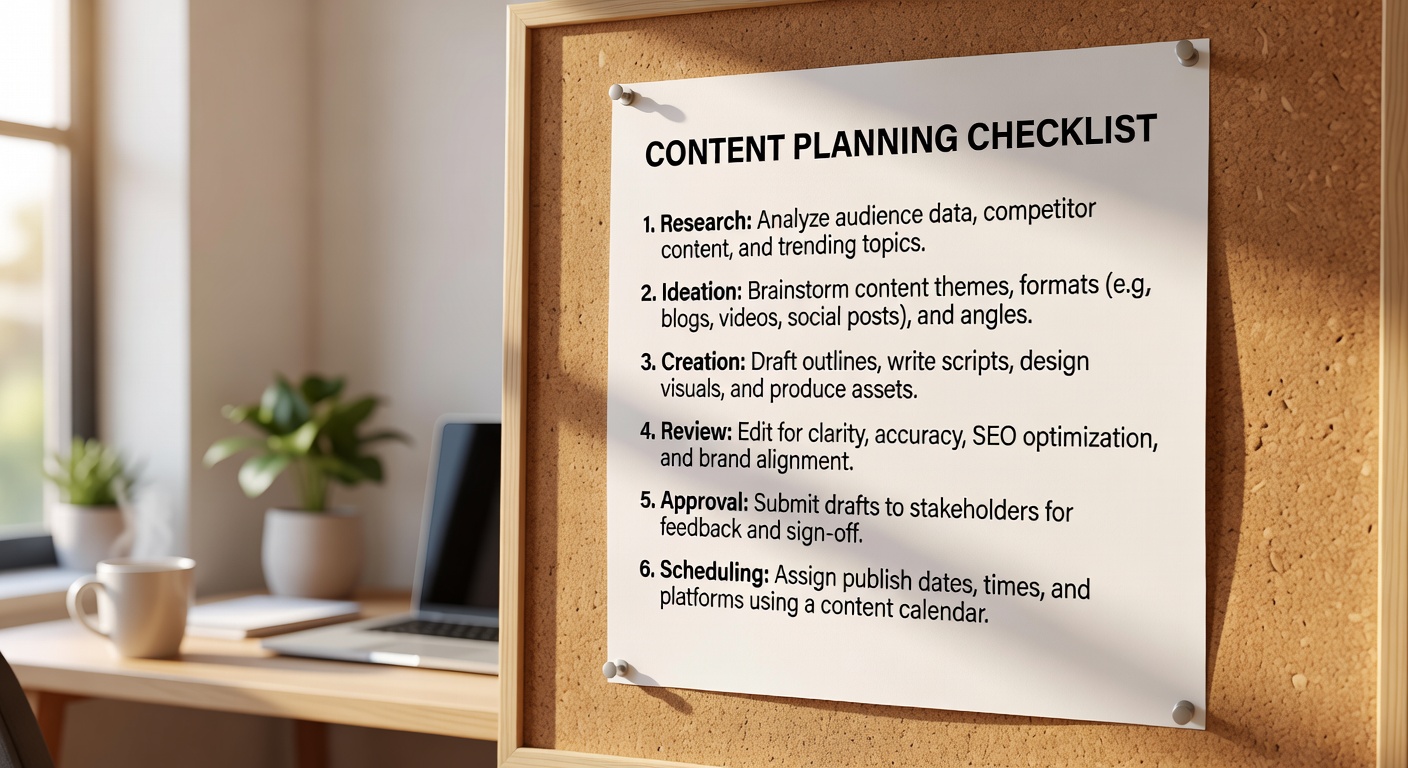
We recommend planning 2–4 weeks ahead for most creators. Plan the month at the start of each month (30–45 minutes), then batch-create 1–2 weeks of content in a single session. This gives you a buffer for life's surprises without locking you into content so far in advance that it feels stale. For campaigns or seasonal content, plan 6–8 weeks ahead.
Most of our creators swear by Friday afternoon or Sunday evening for weekly planning — the natural transition points between work weeks. Spend 15–20 minutes reviewing what performed well last week, confirming your upcoming posts, and doing any light ideation for the following week. Friday also works well because you'll have good data from the current week to inform next week's strategy.
Leave one "flex slot" in your weekly plan — typically Thursday or Friday — that's unassigned. This is your reactive spot for trending content, news jacking, or spontaneous moments. Having 80% of your week planned gives you the freedom to chase the 20% of timely opportunities without blowing up your whole schedule.
Batch Creation
Batch creation is the practice of creating multiple pieces of content in a single focused session, rather than making each post the day it goes live. For a beginner plan (3 posts/week), a monthly batch session takes roughly 2–3 hours. For a daily posting schedule, expect 4–6 hours for a full week's worth of content. The key is having your topics decided in advance — which your content plan and buckets provide.
Only if you batch the wrong things. Batch your evergreen content — educational posts, how-tos, tips, templates, brand storytelling. Leave space for real-time engagement, reactions, and spontaneous moments. Your audience can't tell that you wrote your Tuesday tutorial on Sunday. They can tell if you're clearly not present. Authenticity lives in your voice and perspective, not in when you typed the words.
For writing: Notion or Google Docs for drafting and storing captions. For visuals: Canva with your brand kit set up for fast design. For video: CapCut or DaVinci Resolve. For scheduling: Buffer, Later, or Metricool to queue everything up. Calend's templates are designed to work with all of these tools — they're plain text and format-agnostic.
Create content in a "pillar and derivative" model. One long-form piece (blog, video, podcast) becomes: 3–5 social captions, 1–2 carousels or infographics, a series of short-form clips, an email newsletter section, and a quote graphic. This means your batch session produces 10+ pieces from a single core idea. Our Batch Creation guide covers this framework in full detail.
Templates
Calend templates come in several formats depending on type: written caption and content frameworks are downloadable as PDF or Google Docs; calendar and planning templates are available as PDF, Google Sheets, and Notion templates; and visual design templates are provided as Canva links. All templates include usage instructions and example content to make customization easy.
Absolutely — and you should. Our templates are intentionally designed as frameworks, not finished products. They provide the structure; you bring the voice, brand, and specifics. For Canva templates, simply "Use Template" and swap colors, fonts, and imagery with your brand assets. For document templates, replace the placeholder text with your own content while keeping the structural framework intact.
We add new templates every month — typically 8–12 new additions. We also update existing templates based on platform changes and creator feedback. If you're on our email list, you'll get a monthly "What's New" update highlighting the freshest additions to the template library. Subscribe on the Resources page.
Yes, for individual freelancers and social media managers, you can use Calend templates as a basis for client deliverables — as long as you're customizing them substantially and presenting them as your own work. You may not resell or redistribute our templates as standalone products. If you manage content for multiple client accounts and need a bulk license, contact us to discuss agency options.